> ## Documentation Index
> Fetch the complete documentation index at: https://docs.taqtile.com/llms.txt
> Use this file to discover all available pages before exploring further.
# About Orgs
> Organize and control access to Manifest content with unlimited hierarchical Orgs for teams, roles, locations, or skill levels.
# About Orgs
Manifest Orgs provides organizations the ability to **separate** and **control** access to Manifest content within a single domain, while providing users a simplified view of only information relevant to them.
### **Organize your content with Orgs**
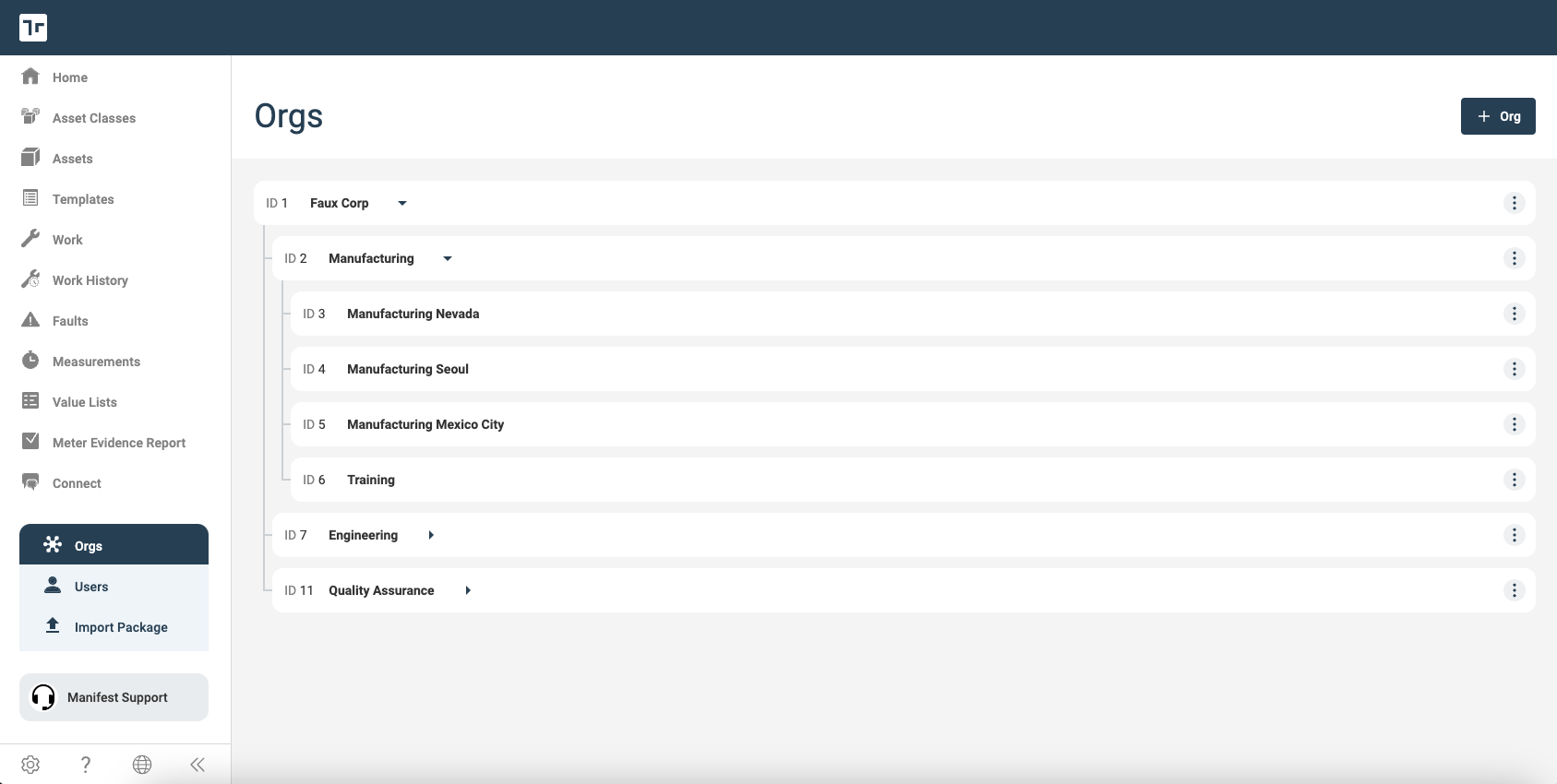
Orgs allows you to segment and manage Manifest content such as Asset Classes, Assets, Templates and Work. Within your Manifest domain, create an unlimited number of Orgs with up to 7 levels of hierarchy that allow you to segment and store content based on groups, teams, functions, roles, skill level, geography, or any other organizational designation. All content is associated to, stored within, and accessed from a specific Org.
 ### **Manage access to content with Orgs**
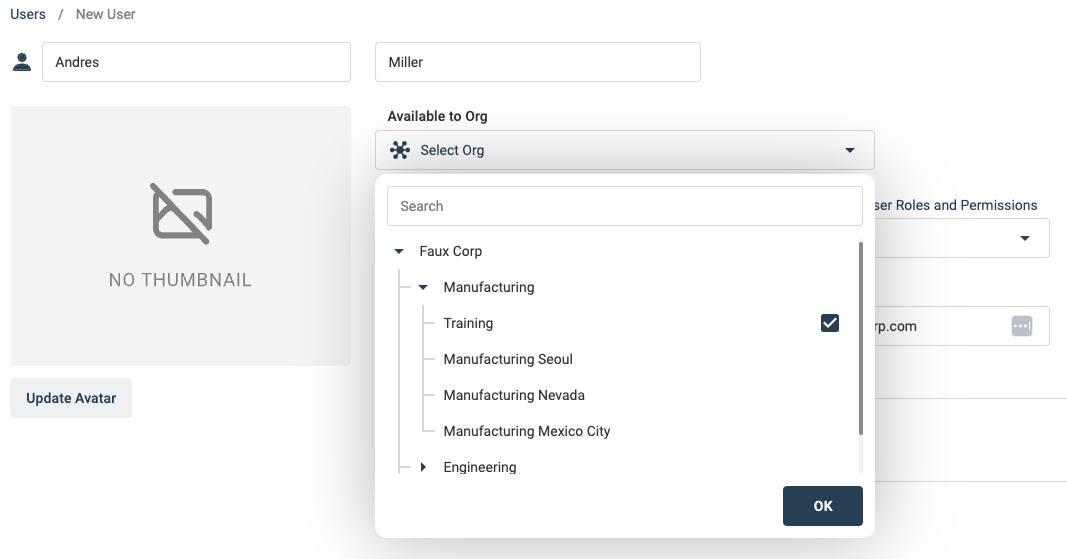
When a domain uses Orgs, every user is assigned and associated with a specific Org or set of Orgs and only has access to content associated with these Orgs. This added flexibility provides new ways to secure, manage, simplify and view Manifest content – all within a single domain. Some examples include:
* Restrict new employee access to only training content until they are fully on-boarded
* Share access to site-specific equipment and procedures only with employees of that site
* Limit operators’ access to only the assets and procedures associated with equipment on which they are certified
### **Manage access to content with Orgs**
When a domain uses Orgs, every user is assigned and associated with a specific Org or set of Orgs and only has access to content associated with these Orgs. This added flexibility provides new ways to secure, manage, simplify and view Manifest content – all within a single domain. Some examples include:
* Restrict new employee access to only training content until they are fully on-boarded
* Share access to site-specific equipment and procedures only with employees of that site
* Limit operators’ access to only the assets and procedures associated with equipment on which they are certified
 ### **Simplify and filter content views with Orgs**
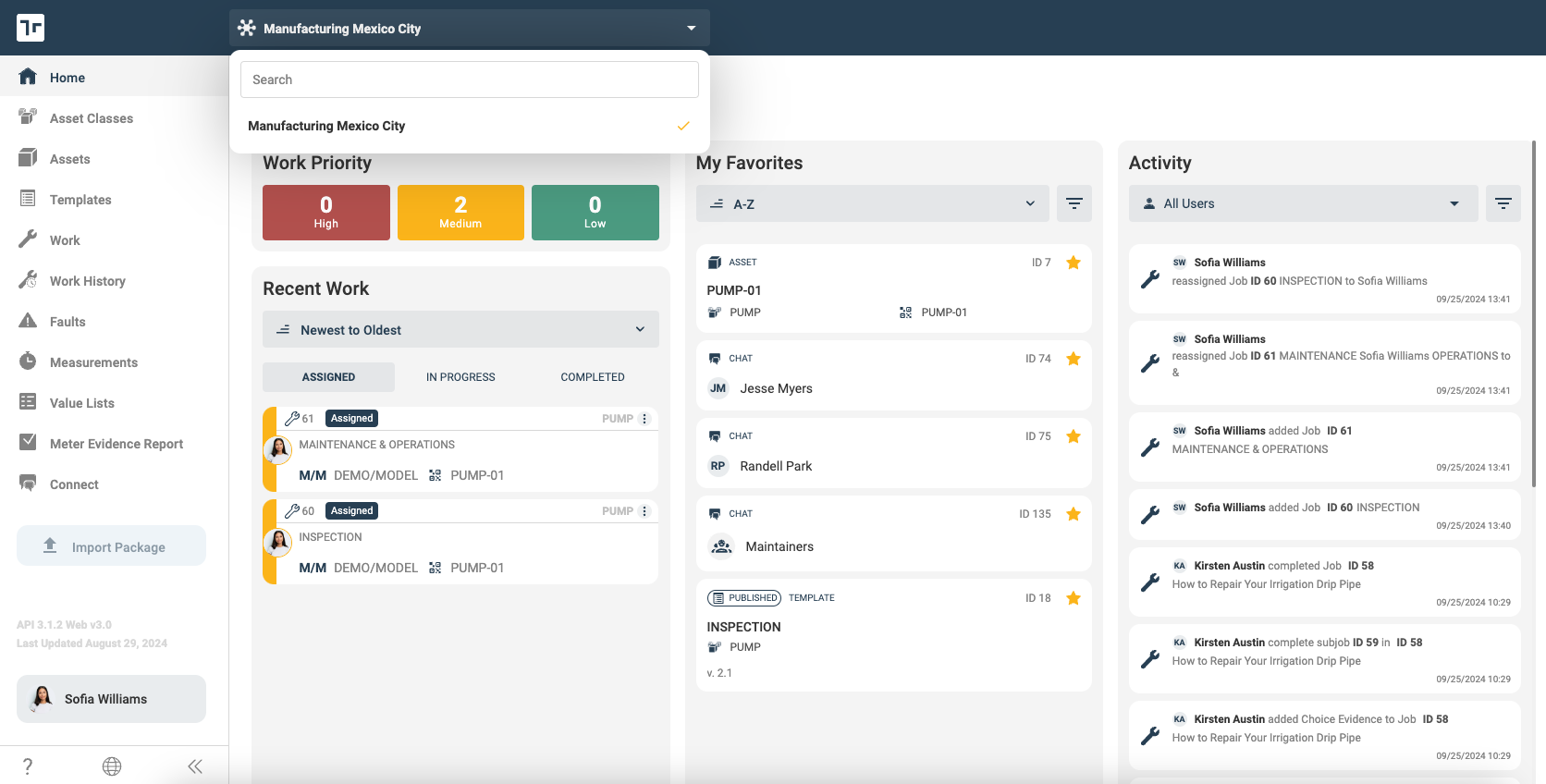
As a user, if you have access to multiple Orgs, using the Org selector will automatically return only data for the selected Org, simplifying your views so you can focus on only the content that is relevant to your immediate tasks. If you only have access to one Org, the application will only return the relevant data to your assigned Org.
### **Simplify and filter content views with Orgs**
As a user, if you have access to multiple Orgs, using the Org selector will automatically return only data for the selected Org, simplifying your views so you can focus on only the content that is relevant to your immediate tasks. If you only have access to one Org, the application will only return the relevant data to your assigned Org.