> ## Documentation Index
> Fetch the complete documentation index at: https://docs.taqtile.com/llms.txt
> Use this file to discover all available pages before exploring further.
# Adding Step Note Types (Video + Photo) to Templates using the Manifest API
> Technical guide for using the Manifest API with examples and implementation details.
Users have been asking how they can utilize the Manifest API's to programmatically upload photos and videos to templates within the Client Web Application as an alternative to using tools in the Client Web Application to manually upload. Below are the instructions and code snippets that outline how to do this.
## Prerequisites
* "\[Template ID Number]" (Obtained through the Client Web Application or API)
* "\[Step Unique ID Number]" (Obtained through API by using this request [Taqtile API Get Template](https://api.taqtile.com/#e036db3c-9b20-4911-a951-59047fa9d2ea), Field is labelled "id" in the "steps" array)
* Knowledge of API requests and manipulation of JSON
## Steps for Adding a Photo/Video to a Note
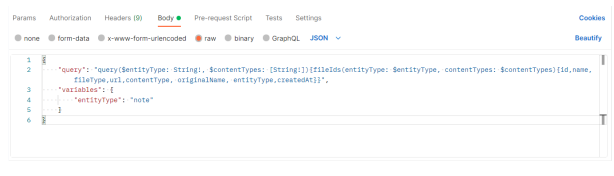
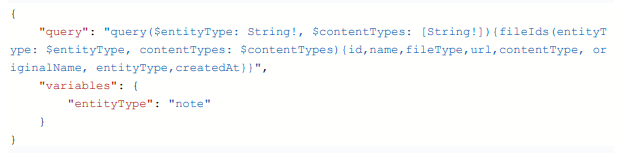
* Get a list of all photos and videos saved within Manifest. By creating an API request using this JSON body.
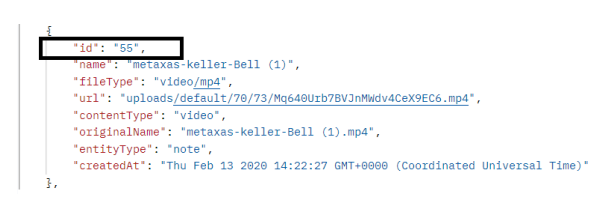
 * Note the "id" for the file you would like to include in your template note. The file can be a video or photo.
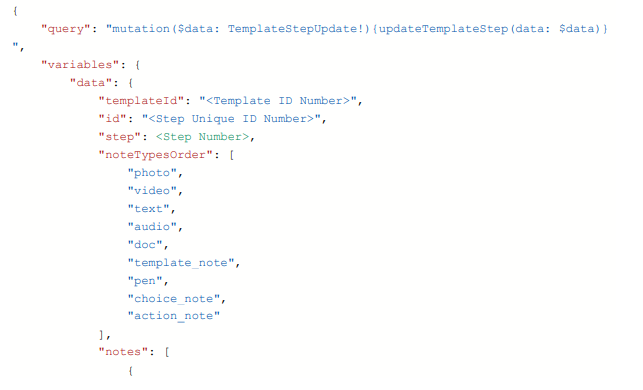
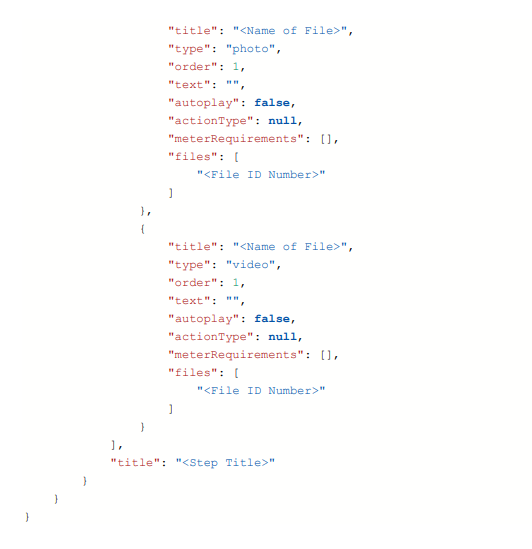
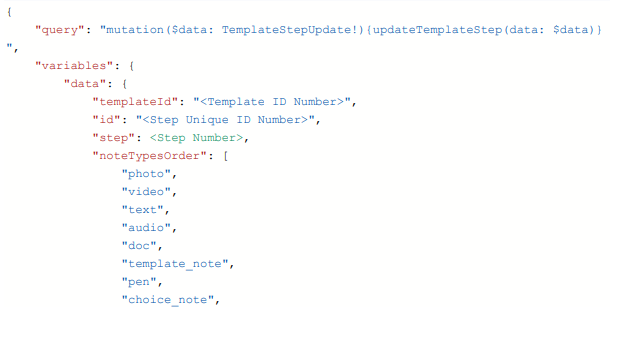
 * Copy the following JSON body into your API request.
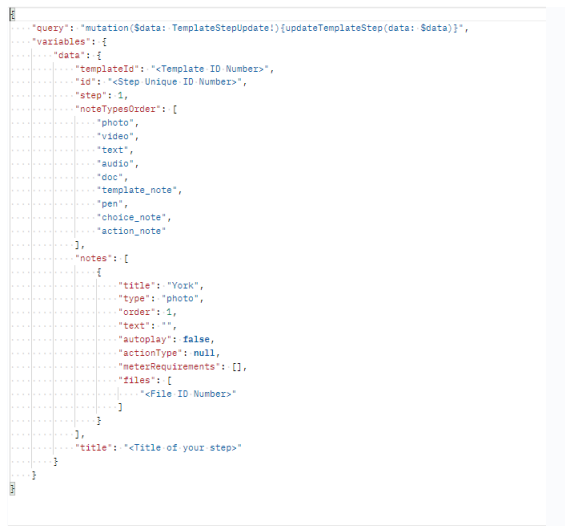 * Replace the highlighted variables with your own id numbers and step title.
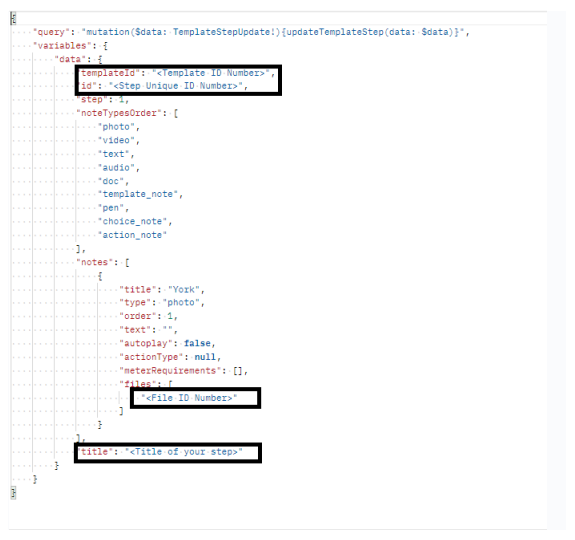 * You can also use this opportunity to add other notes, change the note order or set auto-play ON/OFF.
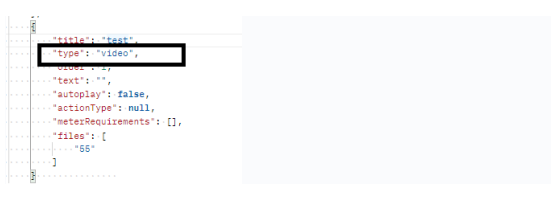
* Change the note type to "photo" or "video" depending on the file type.
* You can also use this opportunity to add other notes, change the note order or set auto-play ON/OFF.
* Change the note type to "photo" or "video" depending on the file type.
 * Send the request
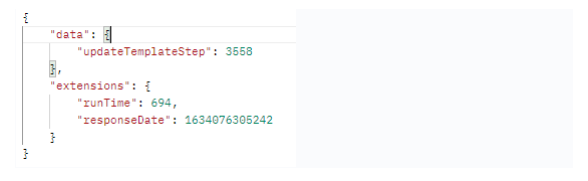
* You should receive a http 200 ok response like the following
* Send the request
* You should receive a http 200 ok response like the following
 * Repeat this process any time if you need to update a step with a different photo or video.
## Request Body: Get All Photos and Video ID's
* Repeat this process any time if you need to update a step with a different photo or video.
## Request Body: Get All Photos and Video ID's
 ## Request Body: Update Template with Photo Note
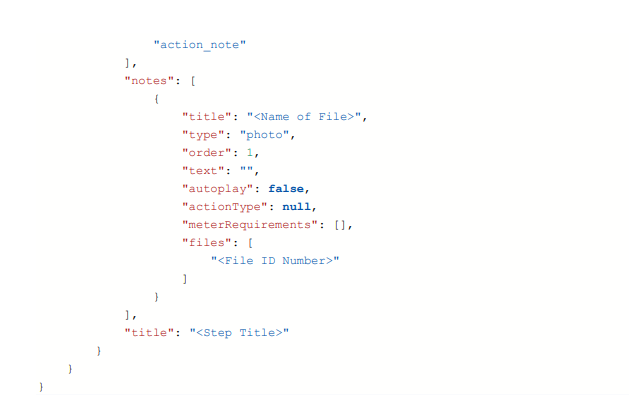 ## Request Body: Update Template with Photo and Video Note