
Choosing your server
| What’s Supported | WebRTC (legacy) | LiveKit (new) |
|---|---|---|
| 1:1 calls | Yes | Yes |
| Group calls | No | Yes |
| Stability and reliability | Standard | Improved |
| Web client (desktop, tablet, mobile) | Yes | Yes |
| iPad app | Yes | No |
| 3D apps (HoloLens, Meta Quest, Magic Leap) | Yes | No |
How to switch your domain
- Log in to the Web app as an Admin
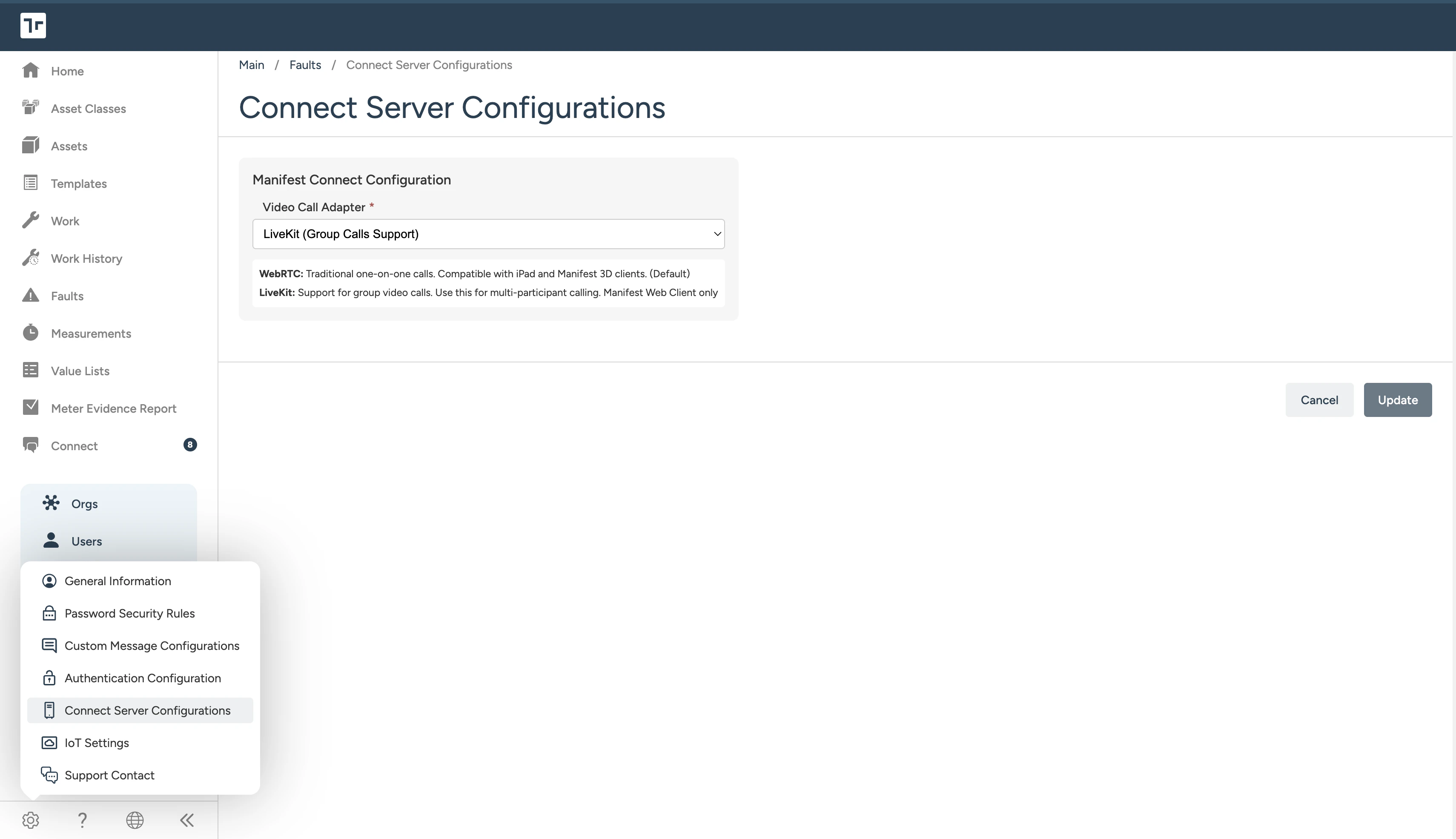
- Open Settings > Server Configuration
- Using the dropdown, select either WebRTC or LiveKit.
- Select Update to save your changes.
What to expect after switching to LiveKit
- Web users will be able to participate in group calls in group chats
- Web users will be able to copy call links to send to other participants
- iPad and 3D users will not be able to start or join Connect calls until you switch back to WebRTC
- Existing chat history, contacts, and channels are preserved
About LiveKit group calls

- To initiate a group call, use an existing or new group chat
- Use the call link or “Call”/“Join” button to start or join the call
- To participate in a group call, a user must be a member of the group chat where the call is taking place
- Warning: Messages sent within the call window chat will not be retained once the call ends
Tips
- Test first: If you have a sandbox or staging domain, switch it to LiveKit before rolling out to production
- Communicate the change: Let iPad and 3D users know calling won’t be available on those platforms while LiveKit is enabled
- Stay on WebRTC if you’re tablet- or AR-first: Group calls aren’t worth losing iPad and HoloLens support if those are your primary devices
Using LiveKit with Docker
4.5 Docker release coming soon, with full self-hosting instructions to follow.FAQs
Can I switch between WebRTC and LiveKit later? Yes. You can change the setting at any time. There’s no migration step. Will my chat history or contacts be lost when I switch? No. Only the calling infrastructure changes — your chats, channels, and contacts stay the same. What happens if an iPad or 3D user tries to start a call while LiveKit is enabled? They’ll see a message that calling isn’t available on their platform. Direct them to the Web app, or switch the domain back to WebRTC. Can different domains use different servers? Yes. The setting is configured per domain, so you can run WebRTC on one and LiveKit on another. Does LiveKit require additional licensing or setup? No additional setup is needed on your end — just toggle the server in domain Settings. How many people can join a group call on LiveKit? The current participant limit for group calls is 25 users.Need help? Contact support.